
FontFlexGet the app

Safari extension for iPhone, iPad and Mac

Make every website easier to read

FontFlex changes the font, size, spacing and colors of any website in Safari. Set it once, and every page reads your way.

Download FontFlex on the App StoreDownload FontFlex on the Mac App Store

Free download · OpenDyslexic and text size are free · Pro optional

4.5 out of 5 · 220 App Store ratings

Before

The quiet cost of hard-to-read pages

Small, thin type and tight lines make readers work harder. Many give up halfway down the page, and the words were never the problem.

With FontFlex

The quiet cost of hard-to-read pages

Small, thin type and tight lines make readers work harder. Many give up halfway down the page, and the words were never the problem.

Left: a typical website with small serif text. Right: the same text in Atkinson Hyperlegible, larger, with more line spacing.

Try it right here

Change this paragraph the way FontFlex changes every website in Safari.

Font
Colors

news.example.com

Why some pages are hard to read

Many websites pick thin, small type with tight lines to look sleek. For readers with dyslexia, low vision or tired eyes, that styling turns a short article into hard work.

A clearer typeface, a little more space between lines and letters, and softer colors can make the same words feel calmer. The best settings are personal, so try a few.
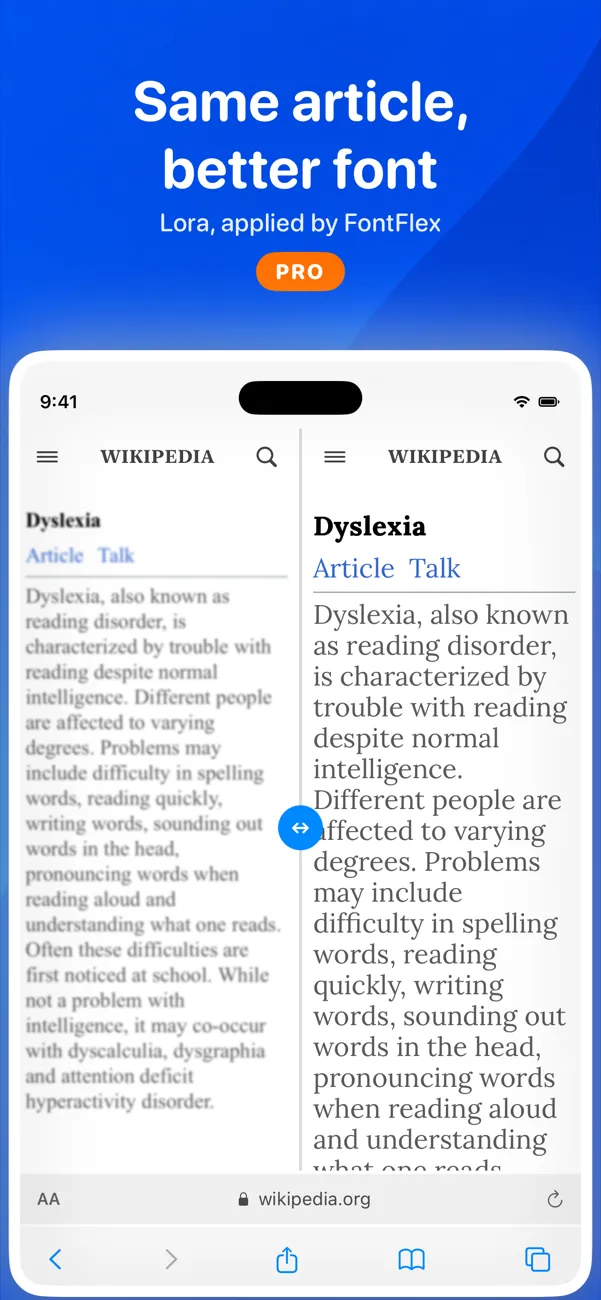
How it works

Set up in about a minute

  1. Download FontFlex

    Free on the App Store for iPhone, iPad and Mac. One download covers all three.

  2. Turn it on in Safari

    Open Settings › Apps › Safari › Extensions, switch on FontFlex and allow it on all websites. The app walks you through it.

  3. Pick your look

    Choose a font, size and spacing once. Every page you open in Safari reads that way from then on.

Read the full setup guide

Who it’s for

Built for people who find the web hard to read

Default web styling suits designers. FontFlex puts readers back in charge.

  • Dyslexia

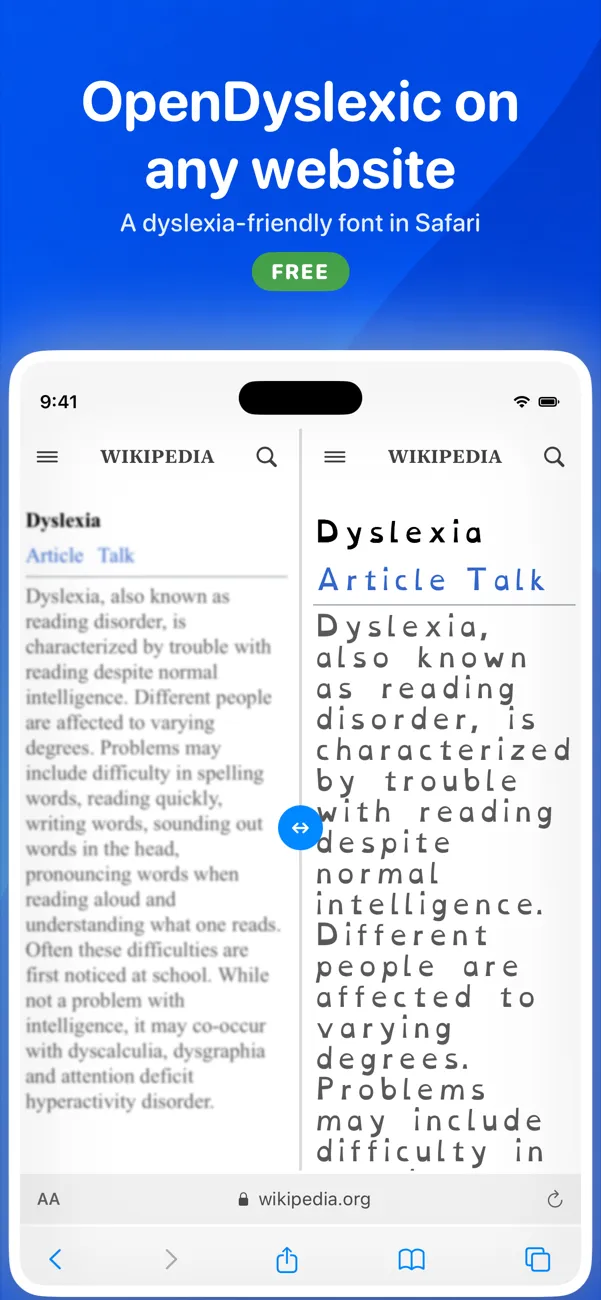
    Switch any site to OpenDyslexic for free, or try Lexend and Atkinson Hyperlegible with Pro. Add spacing so letters stop crowding.

  • Low vision

    Set a minimum text size that every page respects, so you are not pinching and zooming on each site.

  • Eye strain and light sensitivity

    Swap glaring white pages for cream or dark backgrounds, and soften harsh text colors (Pro).

  • ADHD and focus

    Calm, consistent typography on every site means fewer visual distractions while you read.

  • Type lovers

    Browse the web in any of 1,900+ Google Fonts or your own font files (Pro).

Features

Everything you need to read comfortably

Free covers the essentials. Pro is there when you want finer control.

  • Any font on any website

    OpenDyslexic is free. Pro adds 1,900+ Google Fonts, system fonts like San Francisco, and your own font files.

  • A minimum text size Free

    Pick a size once. Tiny text on every site grows to match, and it stays that way next time you visit.

  • Room to breathe Pro

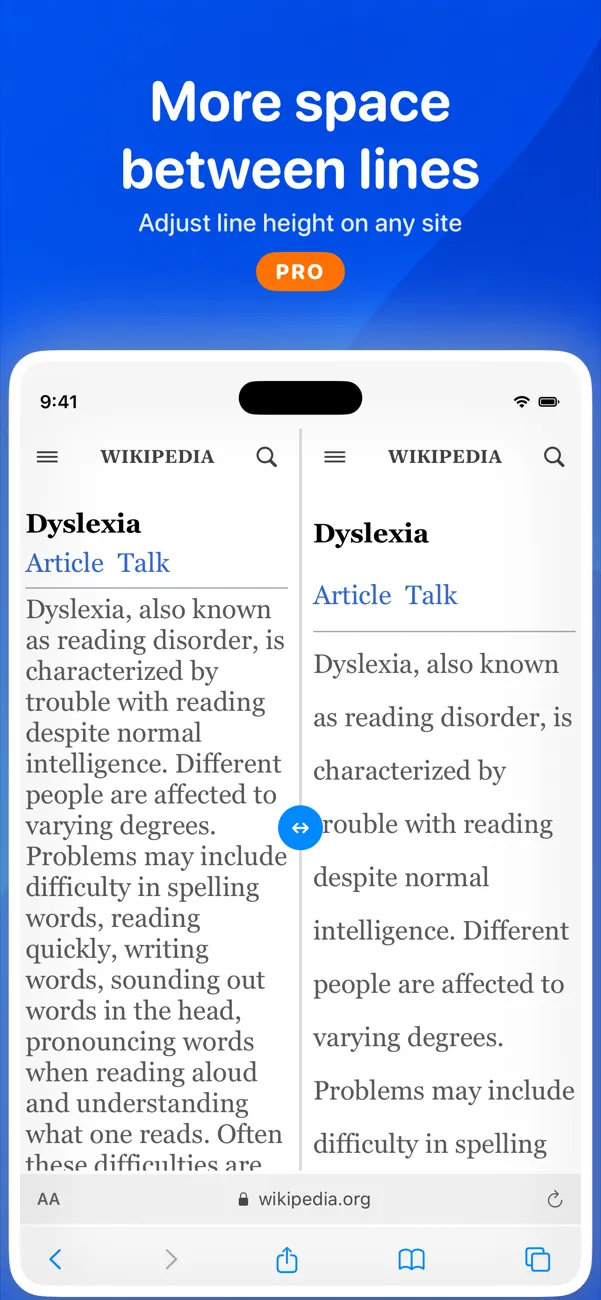
    Adjust line height, letter spacing and font weight so words stop crowding each other.

  • Softer colors and dark pages Pro

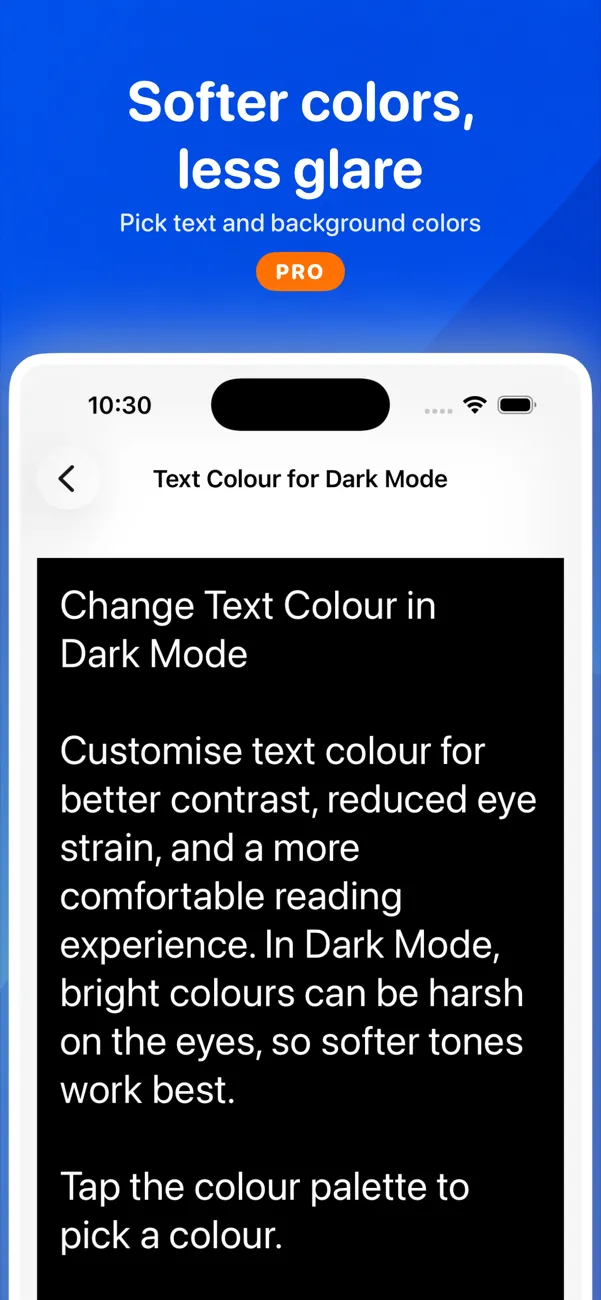
    Set text and background colors, with separate choices for dark mode. Cream backgrounds cut glare.

  • Profiles per website Free

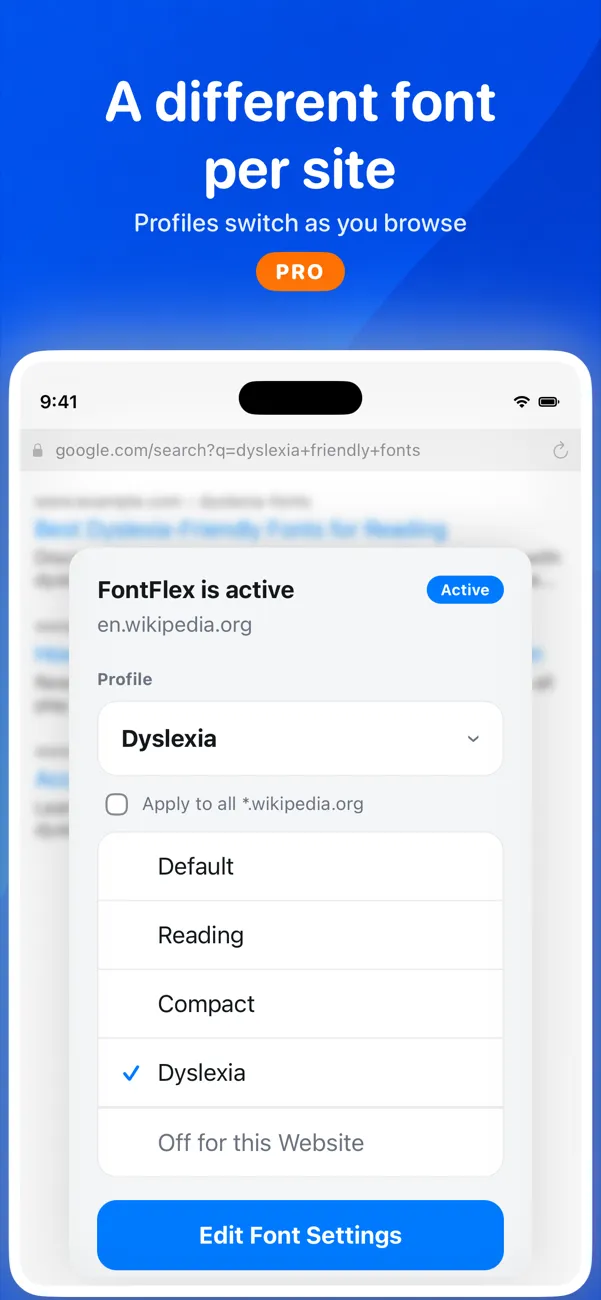
    Use a large, clear font for news and your favorite typeface for blogs. FontFlex switches automatically.

  • Off where you want it off Free

    Exclude any site in one tap from the Safari toolbar, or with Ctrl-Shift-P on a keyboard.

  • Live preview in Studio Free

    Drag a slider and watch sample text change as you go, before you open a single website.

  • iPhone, iPad and Mac Free

    One download for all three. Optional iCloud sync keeps fonts and profiles the same everywhere.

Screenshots

See it on real websites

Reviews

Readers who stopped fighting the web

4.5 out of 5 · 220 App Store ratings

  • “I am dyslexic and obsessed about finding the right font to read on the web… I don’t think I can imagine browsing the web without it anymore.”

    ★★★★★Vishuddha Thakkar, United Kingdom

  • “It allows me to use Atkinson Hyperlegible as the font that Safari uses to display all websites. I find that this greatly increases readability.”

    ★★★★★Tim from Perth, Australia

  • “As a visually impaired person, this is super helpful for automating making sites readable that won’t work with Reader Mode.”

    ★★★★★rbfrappier, United States

  • “The settings can be customised per website… Highly recommended and I’m really happy for the ability to read comfortably on any given website.”

    ★★★★★Kind Darius, Malaysia

  • “This is a lifesaver. Now I can easily change my font to an easy to read dyslexic font! Wonderful.”

    ★★★★★Dreadnox71, United States

  • “It helped me greatly with reading since words tend to cross each other in my eyes.”

    ★★★★★jakeyhachi, Singapore

Quotes from public App Store reviews.

Your reading stays yours

Safari asks every text extension for permission to “read and alter webpages”, because that is how fonts get changed. FontFlex uses it only to restyle text on your device. It never tracks your browsing, never sells data and shows no ads.

Read the privacy policy

From the blog

Guides to easier reading

FAQ

Questions, answered

Is FontFlex free?

Yes. The download is free, and changing text size and using the OpenDyslexic and OpenDyslexic Alta fonts are free with no time limit. Pro costs $4.99 a week, with a 3-day free trial for new subscribers, or $24.99 a year (USD; local prices vary). It unlocks Google Fonts, system fonts, colors, spacing and more.

Which browsers does it work in?

FontFlex is a Safari extension, so it works in Safari on iPhone, iPad and Mac. It does not change text in Chrome, Firefox or in-app browsers.

Does it work on every website?

It works on most websites. It cannot change text that is part of an image, a PDF or a video, and a few sites lock their styling. You can turn FontFlex off for any site in one tap.

Can FontFlex see what I browse?

Safari shows every text-styling extension a warning that it can “read and alter webpages”, because restyling text needs that access. FontFlex uses it only to change fonts on your device. It never tracks your browsing or sells data.

How do I turn it on?

On iPhone or iPad, open Settings › Apps › Safari › Extensions, switch on FontFlex and set it to Allow on all websites. On Mac, open Safari › Settings › Extensions and tick FontFlex. The app shows you each step.

Which devices are supported?

iPhone and iPad with iOS 18 or later, and Macs with macOS 15 or later. One App Store download covers all of them.

Read the web your way, starting today

Free to download. OpenDyslexic and text size are free, with no time limit. Upgrade to Pro only if you want more.

Download FontFlex on the App StoreDownload FontFlex on the Mac App Store