Reader mode for Safari, in your own font
One tap on Read turns a cluttered article into a clean page: no ads, no sidebars, just the story in the font, size and colors you chose in FontFlex.

How it works
- Open an article in Safari with FontFlex turned on.
- Tap Read at the bottom right of the screen.
- Read. Tap Aa to change your font or size, and Close to go back to the page.
Not seeing the button? It only shows on articles, and hides while you scroll down. The Reader mode guide covers every case.
Reader mode
A clean page that still reads your way
Reader mode is part of FontFlex Pro. Free users can read the first paragraphs of any article.
Your font, not a short list Pro
Safari’s built-in Reader offers a handful of fonts. FontFlex Reader uses yours: OpenDyslexic, Atkinson Hyperlegible, any Google Font or a font file you uploaded.
Your size, spacing and colors Pro
Text size, line height, weight and text colors carry over from your FontFlex settings, in light and dark mode.
Photos stay Pro
The article’s main photo and images inside the story come along. Ads, sidebars, pop-ups and comment sections don’t.
Works with Focus Line Pro
Turn on Focus Line and Reader dims everything except the lines you are reading, from the title to the last line.
Back where you were Pro
Close Reader and the page is exactly as you left it, scrolled to the same spot.
See it before you read Free
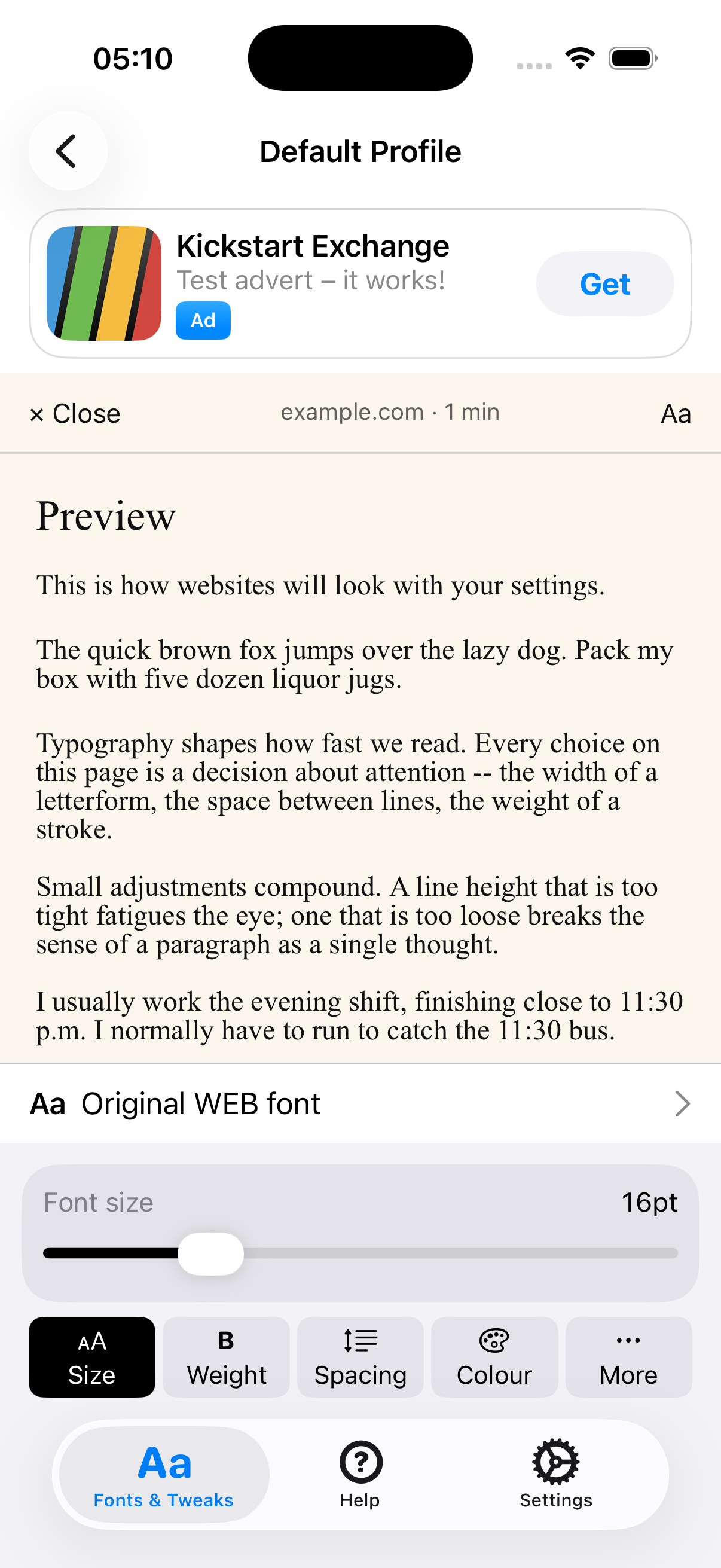
The live preview in Studio shows the Reader layout, so you can tune your font and spacing before opening an article.
Preview it in the app
Studio’s live preview now shows the Reader layout. Drag the font size or spacing slider and watch an article change before you open Safari.
Prefer Safari’s own Reader? See how to change the font in Safari Reader, and what it can’t do.
FAQ
Reader mode questions
How do I open Reader mode?
Open an article in Safari with FontFlex turned on and tap the Read button at the bottom right of the screen. Tap Close at the top left to go back to the page.
Why don’t I see the Read button?
It only appears on articles such as news stories, blog posts and recipes, not on home pages, search results or forums. It also hides while you scroll down; scroll up a little to bring it back.
How is this different from Safari’s Reader?
Safari’s Reader lets you pick from a few built-in fonts. FontFlex Reader uses the same font, size, spacing and colors you set for every website, including dyslexia-friendly fonts and your own font files, and it works with Focus Line.
Can I read articles in OpenDyslexic?
Yes. Reader mode uses your FontFlex font, so if you read the web in OpenDyslexic, Reader shows articles in OpenDyslexic too. Safari’s own Reader doesn’t include OpenDyslexic.
Is Reader mode free?
Reader mode is part of FontFlex Pro. Without Pro you can read the first paragraphs of any article in Reader, then choose whether to try Pro.
Does it work on iPad and Mac?
Yes. Reader mode works in Safari on iPhone, iPad and Mac. On a Mac you can also press Esc to close it.
Read any article your way
Download FontFlex free. Reader mode and Focus Line come with Pro.